Creating animations @RRIS

This week the DL’s have been using the iPads and computers to make animations.  They experimented with Pivot Stickman and Animator Free so that we could use what they had learnt to go back to their classrooms to teach the rest of their class.  Here is Alice’s Story of the Butterfly (it has a bit of a sad ending!) Brilliant job for a first attempt 🙂


Pivot Stickfigure
Using Animator Free app

Categories: Digital Leaders, iPads | Tags: , , , , | Comments Off on Creating animations @RRIS

Making Sign-a-long Videos @RRIS

Lots of staff and children at school are learning how to use Sign-a-long signing language and so the DI’s  thought it was a good idea to make some videos to help remind everyone of the signs.  We worked in pairs with one person performing the sign and the other person using an iPad to record it, then swapping over.  At the end of the session we looked at the recordings and worked out what looked good and how we could improve them when we have another go.  Everyone really enjoyed the experience and thought how useful the videos will be around school.Recording Sign-a-long Recording Sign-a-long

Categories: Digital Leaders, iPads | Tags: , , , , | 1 Comment

Esafety Posters @RRIS

Here are a couple of the posters the DL’s made to display around school – we made 24 in total so there should be lots of reminders in classrooms and corridors.  The DL’s also shared lots of Textease tips and tricks with their classmates to help speed up poster making 🙂 Click to enlarge the posters.

Miles Esafety Poster

Arwen Esafety Poster

Categories: Digital Leaders | Tags: , , , , | Comments Off on Esafety Posters @RRIS

Esafety @RRIS

This  week the Digital Leaders watched the Lee and Kim Animal Magic film for the first time.  They then got into pairs and wrote a list of their own Top Tips on how to stay safe when using the computer.  We realised that the lists also applied if we were at the park, or in fact anywhere!  The Digital Leaders are going to watch the films again with their own class then make new esafety posters using Textease to display around school.Esafety Top Tips Esafety Top Tips Lee and Kim Animal Magic Film

Categories: Digital Leaders | Tags: , , , , , | Comments Off on Esafety @RRIS

Digital Team Badges Arrive @RRIS

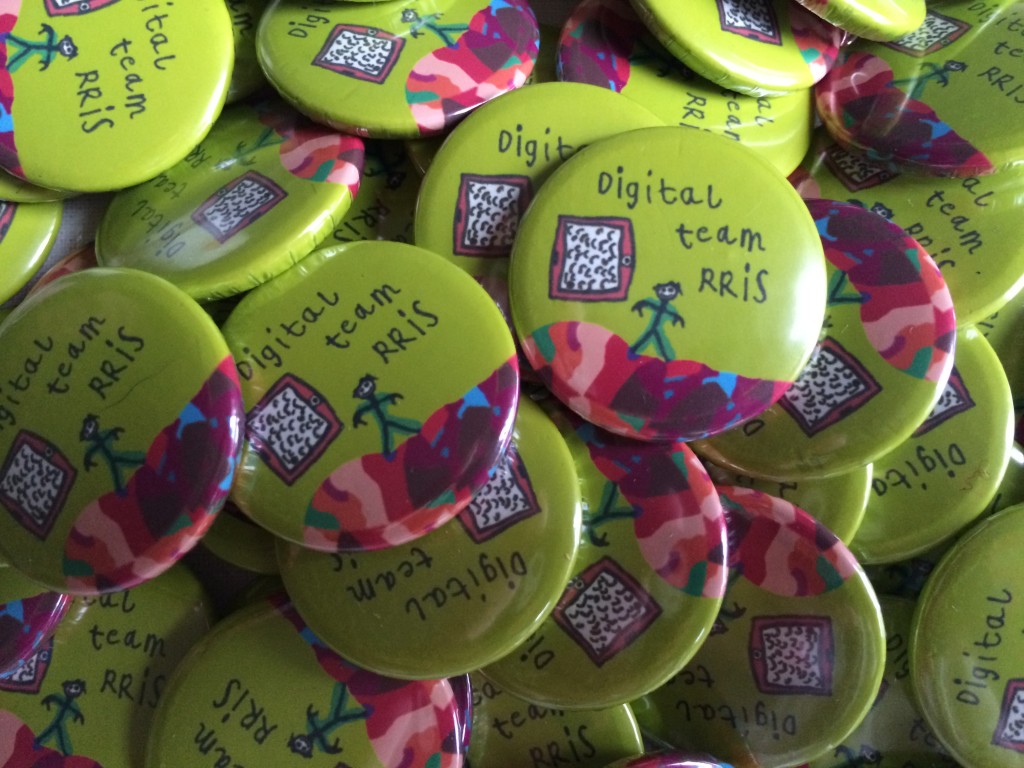
Thanks to Olly’s amazing design, our new team badges look amazing. I can’t wait to award them in assembly.
RRIS Digital Leader Team Badges

Categories: Digital Leaders | Tags: , , , | Comments Off on Digital Team Badges Arrive @RRIS

Ofsted @RRIS

Just before half term our school was visited by special people who came to see all the things that we were learning.  They wrote a report about it all and the Digital Leaders got two special mentions 🙂

OfstedOfsted

Categories: Digital Leaders | Tags: , , , , , | 3 Comments

Creating Avatars @RRIS

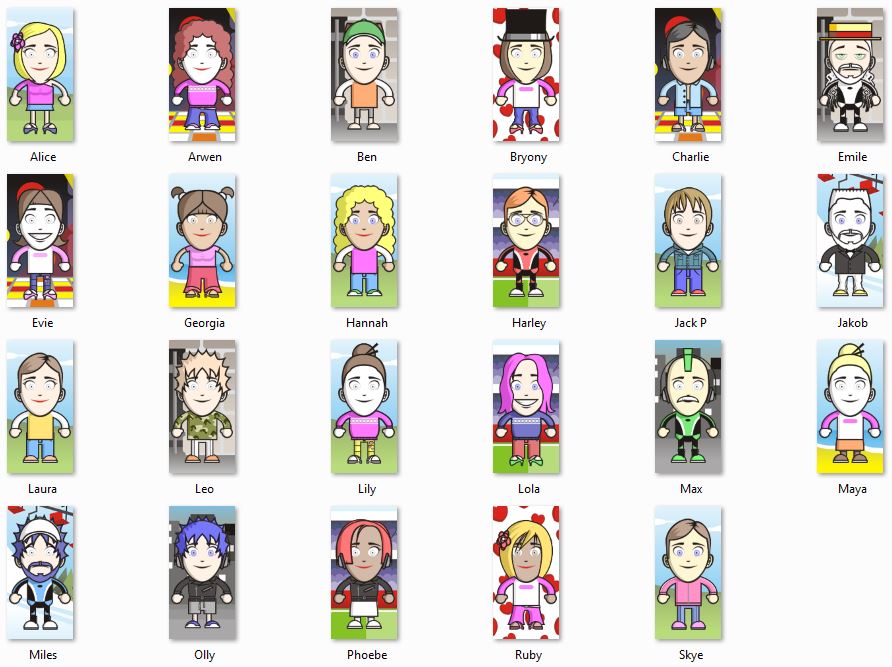
The DL’s wanted to have their own avatar on the blog and on their lanyard, so we created them using the doppelme website.  We had lots of fun and can’t wait to show everyone else how to make theirs.

Using doppelme website

Avatars

Categories: Digital Leaders | Tags: , , , , | Comments Off on Creating Avatars @RRIS

Learning to take Photographs @RRIS

Taking photographs and video is a big part of the Digital Leaders job and so we thought it was really important to have some lessons about how to take a good photograph.  We used compact cameras, Galaxy tabs and iPads and compared how easy they were to use.  We shared our photographs at the end of the session, saying what we liked about them and how they could be improved (if at all!)

Using an ipad Using a Galaxy tab

Categories: Digital Leaders, iPads | Tags: , , , | Comments Off on Learning to take Photographs @RRIS

Visit to Norwich City Hall @RRIS

Some Digital Leaders were asked to attend a ceremony at Norwich City Hall to celebrate the Norwich In Bloom Awards.  They took lots of fantastic photographs and tucked into some cake at the end!

IMG_0055 IMG_0056

Categories: Digital Leaders, iPads | Tags: , , , , , | Comments Off on Visit to Norwich City Hall @RRIS